Desertcart purchases this item on your behalf and handles shipping, customs, and support to Cameroon.
🚀 Elevate your notes: Write, scan, erase, repeat—never lose a brilliant idea again!
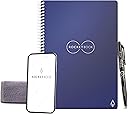
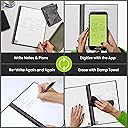
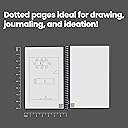
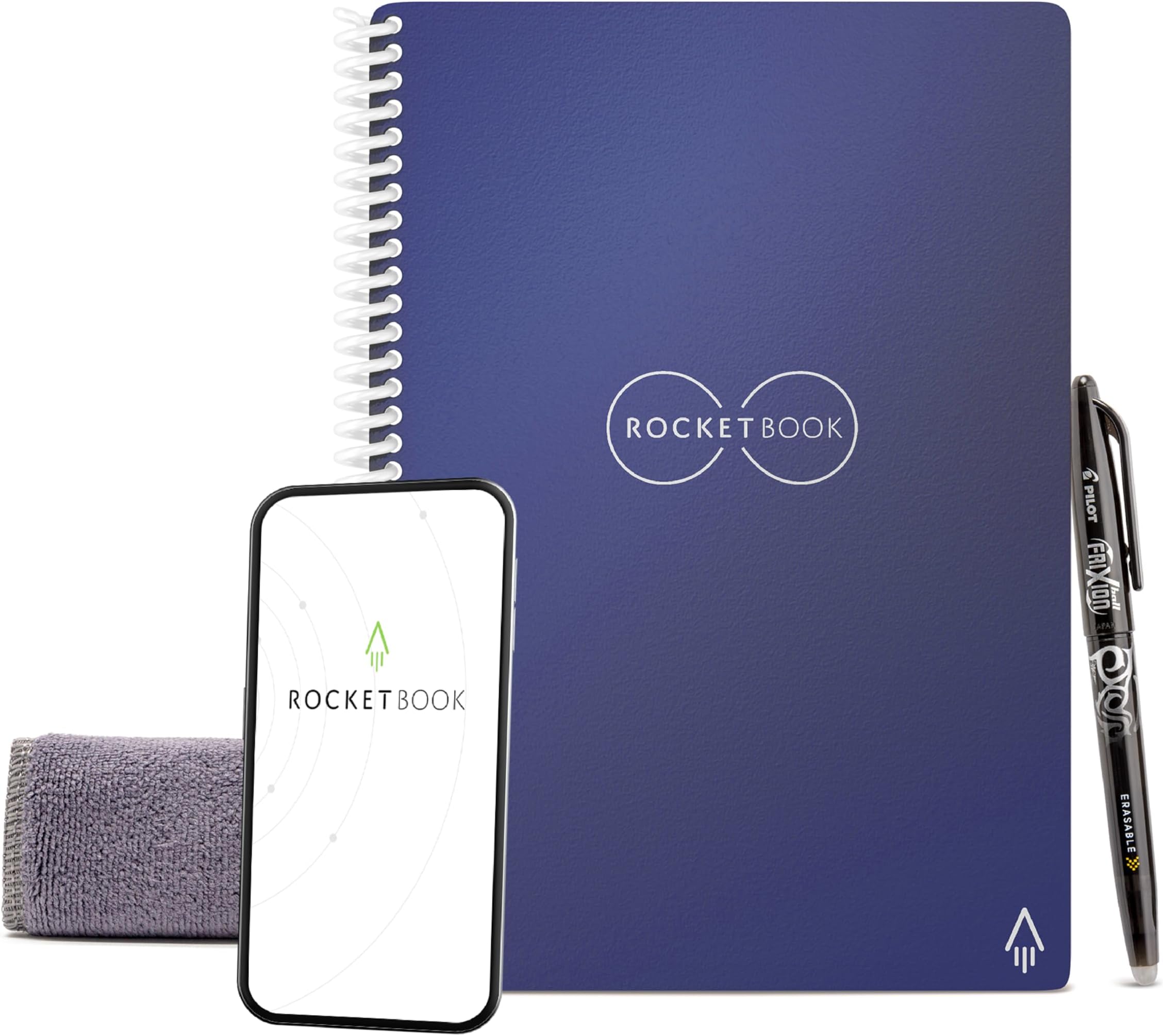
The Rocketbook Core Executive Notebook is a 36-page, reusable, dotted notebook with a durable microfiber cover and spiral binding. Designed for professionals and creatives, it pairs with the Rocketbook app to digitize notes instantly to multiple cloud services. Using Pilot Frixion erasable pens, users can write, wipe clean with water, and reuse pages endlessly, combining eco-consciousness with cutting-edge productivity.


| ASIN | B07CZDXVH5 |
| Best Sellers Rank | #6,767 in Office Products ( See Top 100 in Office Products ) #102 in Spiral Notebooks |
| Binding | Spiral-bound |
| Brand | Rocketbook |
| Brand Name | Rocketbook |
| Color | Navy Blue |
| Cover Material | Microfiber |
| Customer Reviews | 4.4 out of 5 stars 34,815 Reviews |
| Global Trade Identification Number | 00855510007175 |
| Included Components | microfiber cloth, notebook, pen |
| Item Dimensions L x W | 8.8"L x 6"W |
| Item Length | 6 inches |
| Item Type Name | Everlast Smart Reusable Notebook, Executive Size, Midnight Blue |
| Item Weight | 4.8 ounces |
| Item Width | 8.8 inches |
| Manufacturer | Rocket Innovations, Inc. |
| Number of Items | 1 |
| Number of Sections | 1 |
| Pages | 36 |
| Paper Size | 6 x 8.8 inches |
| Pattern | Notebook |
| Ruling Type | Dotted |
| Sheet Size | 6 x 8.8 inches |
| Special Feature | Soft Cover |
| Specific Uses For Product | School, Office, Note Taking, Journal Writing, Brainstorming, Sustainability |
| Style | Dotted |
| Theme | Notebook |
| UPC | 855510007175 850007403973 |
| Unit Count | 1 Count |
K**R
Good start for the New Year.
One of the current trends is going analog again without sacrificing mobility, like writing in a bullet journal or drawing, then digitizing PDFs for search. The Rocketbook system boasts ecological value since pages can be erased by water and a wipe, and materials are recyclable. BIC bought the company in 2020. The recommended FriXion gel pens are relatively inexpensive. The ink takes 15-20 seconds to dry. Heat is supposed to make the content transparent so it would need to be cooled to restore contrast. The plastic pages are made durable enough to last quite a while. By default, they are blank, lined, or dotted. A QR code orients a corner. The app runs on a phone, inputs via the camera, and interprets text or smart tags. A file is then emailed or sent to a destination like Dropbox. So far, I have used the core A5 exec size with 36 pages on a vertical side spiral binding as a bullet journal. Also, the Flip A4 letter size has 32 pages top bound as a sketchbook. The index cards serve as scratchpads for notes or palettes. I have used various Pilot pens, covered and click, black & blue, or colored inks. You can upload and check off sheets anytime but do not have to clear them until your book fills. You can also get large, preprinted planners or smaller mini pads. People also use them for common logs, numerics, or graphics. The website has additional templates to print on paper. These also appealed to drawing in pen and ink. If you have ever seen artist videos, e. g. from urban sites or stock photos. Make effects like smearing, smudging, crosshatching, rewetting, and use a finger or Q-tip for smoothing or mixing. And harken to pastels or watercolors. Beats winter doldrums. Eventually, you can try markers, highlighters, brushes, and stamps. Gelly metallic, sparkle, white, or water pens for effects. Stick strips on pages for maps, diagrams, icons, or destinations. In short, these are easy to use and become second nature so you quickly want them around.
D**N
I'll never use paper again!
This is exactly what it says it is...a reusable notebook that's easy to use and doesn't waste paper. If you keep in mind exactly how it works, you should be super happy with this book. * You can erase with the pens while you're writing (they have an eraser) or you can just use a little water. * When you're done, you can upload the page to nearly anything (Google Drive, Evernote, Dropbox, OneNote, OneDrive, Slack, Box, Google Photos or email it to any email address you'd like). The pages are also saved to the app, so you have access to them there as well. * There are icons on the bottom of each page that correspond to where you want it sent. You can mark multiple icons, so one scanned page can be uploaded to Google Drive, posted on Slack and emailed to your boss with one click. * If you don't want to save it, just don't upload it. But uploading is super easy with the app. (Position the page in the camera, the app does the rest.) * You have to use Pilot Frixion pens with this book, but they come in a variety of colors and thickness AND the black and blue .07 ones have refills. They are great pens to use without your Rocketbook too, so you really only need those pens. * Darker pens (black, blue, purple) scan better than lighter pens, but they all seem to work well. The only "annoying" thing is that if you wait until you've gotten to the end of the book to "delete" what you've written, it can take some time to erase all the pages. Mine came with a cleaning cloth (microfiber), but I generally just use two paper towels. One wet one to erase what's on the page and a dry one to dry it. If you don't dry the pages, they'll stick together and not dry out. This doesn't affect the book except when you go to use it, the page may still be wet. It probably takes me less than 10 minutes every week (when I'm using it a lot) to get a blank book again, but that's because I generally wait until it's full. SO, if you think that would annoy you, you might like the version that you microwave better. (I haven't tried it, but apparently you stick it in the microwave and all the pages erase.) I like mine...I like going through each page as I erase it to remind myself what I've written and upload anything that I've missed. I love this book and recommend it to everyone I know. If I were a student, I'd probably want the bigger one, but this size fits in my work bag and is perfect for taking notes in meetings. (One tip: I put a post it note on the front cover that shows what icons do what. You are going to pick a bunch of places for your documents and then you may change your mind (or your email address)...a post it helps me change it without messing up the book!)
C**E
Encourages good note-taking habits - but careful while erasing!
I've been using this notebook as an "everything" notebook - monthly/weekly planner, daily notes, list-making, etc. for about three weeks. As a researcher, I travel frequently to field sites, conferences, and other laboratories, so was attracted to the idea of having a lighter-weight notebook that I could back-up, as I'm terrified of leaving all my thoughts and reference notes on a plane somewhere, but love taking hand-written notes. I love the concept and really enjoy how easily it integrates with the app - you simply press "capture notes" and it automatically captures the page, including a title if you surround it with ## (e.g. ##My Title##), and sends a PDF or JPEG to your predetermined folders, and also keeps a copy in your RocketBook App History. Part of what I love about this is that it forces me to review my notes from the week, which is something I always mean to do, but rarely did with paper notebooks, since I figured they'd be there if I ever needed to refer to them. This, alone, has made the notebook worth it. I also feel like I'm taking better notes because I'm no longer worried about "wasting" paper, so I'm more willing to capture a lot and then revise the content for upload. Another good habit! The app uses OCR (handwriting recognition), and so I am able to search my notes once they've been uploaded if I need to find something. I've found it most useful to have two generic "bins" on a cloud drive (i.e. Dropbox) - one for personal notes, one for work-related notes, and to just use very descriptive titles to make it easy to search (i.e. 191005_WritingNotes-RocketbookReview). I have some concerns about its long term durability - when I was erasing the pages once I accidentally creased the page and that crease has not gone away. Admittedly, this was when I was still figuring out how to best erase the pages (key tip: swipe out from the coil towards the edge of the page, not top to bottom). I also had to adjust the spiral at the edge so that it wouldn't get in the way of the pages by twisting it up one level. In three weeks of use, the cover has acquired quite a few scratches and scuff marks. I purchased a folio from Amazon to deal with this, which is also helpful for holding the wiping cloth and a small spray bottle I use. The edges of the notebook I got also appear to have been near the bottom of the cutting pile - a few loose ends that I needed to cut off. This wasn't that big of a deal, and I'm guessing these defects are why Amazon was selling a few of these notebooks for $10 off. Other than that, take seriously their recommendation of letting the ink of your Frixion pens dry - they smudge very easily and writing with them definitely takes some getting used to! A good tip they don't include is that if you just want to remove a word or change a small thing, you can use the erasers on the Frixion pens to do so in the RocketBook Notebooks - it's much less messy than trying to wipe! Also...wash the microfiber cloth every so often to avoid strange ghost streaks during erasing!
C**.
One of the best purchases I ever made.
This product has been a game-changer for me. I find myself journaling or taking notes on a daily basis, but it gets so difficult to keep up with multiple notebooks or even find what I'm looking for in those notebooks. I enjoy actually writing notes as opposed to typing, so I began weighing the cost of getting a new iPad, a Remarkable2 tablet, or the Rocketbook notebook. In the end, I decided to go with the Rocketbook based upon a much cheaper price tag (I knew I could buy one of the other options later if I ended up not liking the Rocketbook) and the ability to actually write out physical notes that would then be digitized and sent to whatever platform I wanted, which for me includes Evernote, Slack, e-mail accounts, Google Drive, and Microsoft OneDrive. I was able to preset each of those destinations on the app (it gives you up to 7 presets) and then it will automatically send to whichever I have indicated on the notebook page. I love using the Rocketbook. It is a highly functional and efficient notebook, and I've been recommending it to anyone and everyone. This is one of those products that I find super satisfying to use and does everything I want and need. I got the executive size as it is closer in size to the rest of the books I might be carrying at a given moment, and I've been pleased with that. It is thinner than most notebooks, but I find that I only have to clean it out every 2 to 3 weeks, depending on how much I've used it. It does take maybe 5-10 minutes for me to clean it how I want it, but that's really not bad at all, especially when I consider how quickly my handwritten notes are digitized and sent where I need them. A few things to consider: The paper does have a glossy finish, and using erasable pens is required, so it's not 100% like writing on regular paper, but it was not that big of an adjustment. It takes a few seconds for the ink to dry, but that also hasn't been too big of an issue. I just wait 10 seconds or so before turning the page. While the ink comes straight off with a wet microfiber cloth, I did notice that I've left a few indentations on the icons at the bottom that indicate where to send the note. I think I must have pressed a little hard when hurriedly marking them, so I've tried to be more mindful of that. The cover on my notebook has slightly warped (I think from the Phoenix heat), so it doesn't lay completely flat; however, even this is only slight and doesn't impact any functionality. Overall, I'd say buy, buy, buy. I've filled and erased it many times already, and I still make a big thing every time about how much I like it. When my wife sees me with the microfiber cloth and notebook, she knows she's about to hear--yet again--how much I'm enjoying my Rocketbook.
C**R
Fun Reusable Notebook, Wish it Had More Pages
I am so glad I got this notebook. I love to write in my notebooks but when I am done, I have to get another one cause I've filled it up with my writing. Most of it which I'm not proud of how it turned out. With the Everlast Rocketbook, I can write in it over, over, and over in it. If I don't like how my writing turns out, just wipe it away with the Rocketbook cloth that came with my notebook after I dampen the rag. Then I'm good to go to write more. If I really like what I write I can take a picture of it through the app and send it off to a folder in Evernote. On that note, the app, I find it easy to use. Perfect and free to go with the Rocketbook that makes taking pictures of your writing a breeze. Finally, there are two problems with Rocketbook. I wish the notebook had a few more pages, but hey you win some and lose some. Then there is the fact that the cover is a bit flimsy. It makes it hard for me to write comfortably at the couch without a flat surface underneath the notebook. Minor issues that I didn't think warrant removing a star for. I really do enjoy this notebook and glad I could get it. The executive size is perfect as it makes it easy for me to bring wherever I go. If you need to write notes, do creative writing, doodle, draw up charts, sketches, or if you want to write down your grocery list and then send a perfect picture of that list for your loved one to see and pick up said things for you instead, then this is the notebook for you. I leave two pictures of the same writing. The first a normal picture you would usually take of writing in a notebook, and the second is the picture of it through the Rocketbook app after it was scanned and saved to photos on my phone. Update!!!!!! 4/11/19 So I got the Rocketbook Everlast LINED PAGE Limited Edition notebook. I LOVE IT!!!!! The only problem I faced was that I wanted to keep both notebooks on hand but not carry two notebooks around with me. That's when a light bulb turned on in my head. The spines on the notebooks where pretty big and so I deconstructed the notebooks and combined them into one. I took the red back of my other notebook and made it the divider between the lined pages and the dotted pages. Now I have a full notebook with way more pages than I thought I would get with everything I want! I really love how reusable this notebook is and the fact I got to combine them together. If anyone wants to get the lined Everlast Rocketbook you'll have to go to their website and get it. They are not selling it on Amazon. To conclude, if you've been hungering for more pages in your Everlast notebook, get two and combine them together. It's the perfect little notebook to carry around, no matter how many times I write and clean the pages, they look brand new, and it will be the last notebook I'll ever have to buy. Can't promise that my family won't try to buy me another notebook cause I love to write, but maybe they can just buy me more frixion pens instead if I ever run out of ink.
C**T
Good, not great- definitely a work in progress. Possibly useless for left handed writers!
I decided to try this out as a stopgap method of taking notes prior to diving in to a tablet/sylus combo. I attend a lot of meetings, get random taskers, etc and also am the type to jot down random stuff (often taking notes in a meeting when no one else is touching a pen), so I thought a reusable and scanable notebook was a decent way to experiment with "is digitally archiving my notes a useful endeavor?" On the whole, the Everlast is OK. Good, not great, but not terrible either. I view it as a beta model and if they could tweak things a bit more, it could be great. Pros: it basically works as advertised- the Frixion pens write well on the slick paper. it does not have the feel of normal paper, but I actually sort of prefer the smooth feel of the glossy surface + the gel ink; It scans and uploads to the destination of your choice for archival purposes; it cleans "fairly" well (but also see cons) Cons: the Frixion ink takes a few seconds longer than usual to dry especially on the slick paper. This is no secret and they tell you that, but you really have to experience it to see if you can live with that. Left-handed users would likely not be able to use it unless they used the complete "hooked over" style to mimic a right-hander. I am a righty and can write quickly and often fill a page, flip to the next, and the ink is not dry enough and it will smudge- ranging from "a little messy" to "text was lost."; the scanning generally works well but can be frustrating at times- in the same spot with the same technique, I will occasionally have one page blurry (my hands aren't that shaky, especially since I brace my arm while scanning) or one page totally washed out, even in the same position and light source. Also based on your lighting, the colors can be difficult to distinguish when scanned. I experimented with the multi-color pack and even with good lighting, purple was not much different from black when scanned. Colored-coded notes could lose meaning when scanned; the pages do clean well with a moist microfiber cloth, but do not expect to do this quickly and easily if the notebook is full. If you clean and scan after 4-5 pages, you're good to go, but if you have 30+ pages filled and you're wiping it down, you're going to find yourself going back with another dry cloth or paper towel to get extra moisture. Added to the frustration- the slick pages will adhere to each other when moist and you'll occasionally miss that and will come back to them later with caked-up smudges. Bonus Con: the Frixion ink does not last very long. I got a pen with the notebook and then ordered a multi-color pack along with it. The stock pen lasted 4 weeks with pretty low volume (lots of meetings, but often one sentence notes per; not a student composing papers or using it for a journal with lots of prose). This could add up quickly. Extra Bonus Con: (limited to certain users) my office system does not allow access to file share services like Google Drive, OneDrive, or DropBox, so I cannot readily back up my notes and access them at work. I can send to Outlook.com and then access that way, but it is less organized than a simple folder on OneDrive. This only affects some users, but if your work systems are similar, one of the key functions of the app is somewhat crippled. All in all- I have used this daily for 3 months and like it, but am probably going to switch back to pen and traditional paper or take the plunge and do all-digital notes with a tablet. I will definitely keep the Everlast in use as a way to take phone messages and replace the post-its that pile up for to-dos that pop up during the day, but as a main method of primary note-taking, I do not think it is ready for prime time. I think a key element required to get it up to speed would be to work on the paper+ink combo to find a way to set/dry faster but retain the ability to wipe clean.
L**Y
Exceptional Product
The idea of owning a Kindle Scribe, with its promise of eco-friendly journaling and sketching without paper waste, had always appealed to me. However, the steep price tag made me reconsider. Given that I already owned a regular Kindle and a Kindle Fire, I began to explore more cost-effective alternatives that could provide a similar digital note-taking experience. That's when I stumbled upon this Rocketbook Core Notebook, which not only met but exceeded my expectations. Let me provide a more detailed breakdown of the remarkable features: 1. **Reusable Pages:** The standout feature of this notebook is its capacity to accommodate writing, erasing, and rewriting on its pages. Using a Pilot FriXion pen, I can jot down notes and sketches and easily wipe them away with a damp cloth when I'm done. The remarkable part is the versatility it offers; if I make a mistake mid-writing, I can utilize the eraser at the end of the pen to correct it. While it might not replicate the tactile feel of real paper, the adjustment was surprisingly easy for me. It's worth noting that this specific notebook doesn't come with lined pages, but replacement pages with lines are available for separate purchase. 2. **Integration with Cloud Services:** The notebook's seamless integration with various cloud services like Google Drive and Dropbox is nothing short of remarkable. The inclusion of tiny icons at the bottom of each page allows for easy sorting and organization. By marking the relevant icons, the Rocketbook app identifies where each page should be sent for digital storage. This feature simplifies the digitization of my handwritten notes and sketches, ensuring they're readily accessible from any device. 3. **Exceptional Quality:** Rocketbook Core Notebook's durability and page quality have left a positive impression. Despite frequent use, the pages remain in excellent condition and offer a consistently smooth writing experience. This reflects the notebook's overall quality and robust construction. 4. **Convenient Size:** The notebook's size strikes an ideal balance for my needs. It's large enough to comfortably accommodate my notes and sketches but remains compact and portable enough to slip into my bag or backpack without any hassle. The Rocketbook Core Notebook delivers an eco-friendly, efficient, and well-organized note-taking experience that's hard to match. While it's important to use Pilot FriXion pens for compatibility, this minor requirement is a small trade-off for the extensive benefits this notebook provides. Whether you're seeking an upgrade in your note-taking game or simply looking for an environmentally conscious alternative, this product is a must-have in your arsenal.
S**E
Not a student, no work, just a note taker.
First off, I do recommend the Rocketbook with a few notes. Again, I do not go to class, and I do not work. I do have a health concern, cancer, and no matter how I tell my health team to email me they call. I can't remember most of the details from calls unless I take notes. Previously, I saved all the pages which came into my home which had printing on one side only. I folded them in half so the empty sides are out. I had little piles of these stacks in my bedroom, next to where I sit with my laptop, in the kitchen and bathroom all with at least one pen. Back in the 80's these type of notebooks came out and frankly were not worth the time to type NO. So when I started seeing people use these (mostly on YouTube) I thought to try it. I got the executive size which is perfect, as it is just about the same size as my folded 8 x 11 pages. I got the set of colors too, and the stick on pen holder. I had also used Camscanner too, but when they got hacked I stopped using them, and I have Adobe Scan on my phone along with Rocketbook app, and I think I like Rocketbook more as it defaults to OCR technology and Adobe makes me pay for that which I won't. The Rocketbook app is QUICK and sometimes I get upset that it tries to scan my table or arm or whatever, but it gives up after not finding words. I have no problems with the app beyond that. I was surprised, even though I read lots of reviews, that there are so few pages. This has not bothered me at all. After I get my scanning done, and verified it came out fine, I clean the pages. I made the mistake of cleaning off many pages and not letting them dry fully so they got weird ink like smudges on every page. I learned. I like the pen they sent with it, and I have the pen with a top, so when the set of color came in I found I like that much better, as I won't lose the top. The pages don't bother me much, and all I find a bit strange is, if I have used the page a few times, and cleaned, if I erase something I can't write over it. That is the only reason for 4 stars, like others, I would give this 4.5 stars. I agree with other reviewers who say to get two and combine them, and get a cover for it, it will look cute. Overall, I like this, and recommend it to everyone. I'm not attaching pictures as there are so many pictures, but I did test the colors and will review them separately.
M**U
NIce, glad I bought it!
This is a really nice product, and so far it has worked very well for me. I use OneNote for project-related notes, but prefer to write notes during meetings and for to-do lists, etc. In the past I've switched between keeping an actual notebook and just writing on blank paper on a clipboard, and I'd occasionally photogrpah my important notes, crop the photos, and insert them in my OneNote pages. The problem with this system was that taking photos, cropping, saving, uploading to my cloud, then importing them to OneNote was really time consuming, and on top of that I was ending up with either full notebooks or stacks of hand-written pages that I no longer need. The Rocketbook is an ideal compromise. Just the right size for meeting notes and other similar things, pages are easy to write on, and the app is great - just point the camera, click through a few things, and my notes are already in OneNote. The OCR is surprisingly good for basic text (especially considering how bad my handwriting is); only problem is it doesn't automatically format bullets, extended sentences, and similar. Pages clean up very easily; I even accidentally used a regular pen on one, but it didn't take long to clean it up with a bit of isopropyl. I don't regret buying it. I also bought the carrying case for it; I'll review that in another post.
A**N
Amazing tech!
Love this piece of technology. It actually ensures all my notes are saved on Clouds like iCloud and One Drive. It is extremely helpful in retaining notes that you may need at a later instance. Only the wiping part is a bit of a work, but hey, this is available at 3,000INR and an eink tablet like the Remarkable costs 40,000+ INR. What more could you ask for?
A**R
Fabulous Invention
This is a review for both the A4 and A5 (notebook and executive pad), ordered separately. Firstly, I’d like to caveat this review by stating the reason for my purchase isn’t a ‘save the planet’ one; I just got so fed up of having a dozen writing pads of varying sizes scattered all over that it was making my notes harder to organise. The ‘save the planet, use less paper’ aspect is definitely an added bonus. I initially did some research last year (2018) into these reusable, erasable, cloud storage notebooks, but the majority (including another version of Rocketbook) were all the microwave variety. This really put me off as my microwave will not fit a A4 book, and quite frankly, I don’t like the idea of putting stuff like that in my machine. So at that point, I resigned myself to writing on numerous pads and using One Note (when connection permitted). Then a couple of weeks ago, I just thought I’d look again, and I found this. Granted, this was probably there all along when I was originally looking, but obviously got lost in the ether of the microwaveable ones. So I took the plunge and initially ordered the A5 version. I admit, I was quite sceptical about this product, but let’s be honest, Amazon’s return policy is second to none and they are amazing at sorting out any issues. As a Prime member it arrived the next day sealed in its own bag with the Frixion pen and cloth, and protected by the external jiffy postage bag. First appearances, aside from the tiny splodge of missing colour on my cover that I can live with, I like it. I don’t really know what I was expecting, but when I read the Amazon description page, it really does appear more complicated than it actually is. Before you do anything, you need to register to the Rocketbook app, then in your account, you can assign your email address, Onenote, Onedrive, Dropbox etc to the different symbols. To keep it simple, I’ve only assigned three of them as they are all I use, but the example sheet included in the book shows you how you could use these for different subjects if you are a student, or different aspects of your work if you are using this professionally. My is purely personal/side job use, so I don’t need to use all the options. There is also a checklist at the front where you can write the external cloud against the symbol to make it easier to remember. Once you have these set up, it’s basically write away (with the pen provided), cross the symbol at the bottom indicating where you want it to be sent, open the RB app, take a picture and upload it. Depending on your connection speed, within 5 mins it will appear in your choose cloud app. It is fairly basic, but it beats having notepads lying around all over the place – or, worst, losing a notepad with your precious writing/school work/real work in! I’ve now had this a week and I’ve found it easy to upload and wipe clean. I haven’t experienced any of the ghosting issues some have mentioned. Nor have I experienced the ‘scratching’ some have also commented on. There are some aspects I would change, such as a few more pages, and integrated pen holder in the binding, rather than the extra one you have to pay for, as this just makes it slightly bigger. The app isn’t particularly intuitive, but it does what you need it to do. Let’s not forget that this is just a notepad and even if you don’t want to upload to cloud, provided you use the erasable pens, you can just use it as you normally would. It isn’t the cheapest of items, but if you consider how much you will spend on decent notepads over the course of a year or two, in theory this should last forever (forever might be pushing it - at least 10 years in my opinion)! Would I recommend this? Absolutely. So much so, I subsequently ordered the A4 version too.
A**S
Si te interesa es recomendable
Cumple lo que promete
M**T
Compact and works great
I received this as a birthday gift and I really like it. It has been so helpful already for taking notes at work and playing games with family. It is small and it feels like there aren't many pages but that's the beauty of everything being erasable. The app is also pretty easy to use.
Trustpilot
5 days ago
1 week ago